
Last updated: June 2026
A Gulfstream pool heater gets you more out of your pool season. It gives you heat when the sun won’t, and it does it at an affordable cost, so you keep swimming while everyone else closes up.
But like any pool heat pump, a Gulfstream needs a little care to keep running strong. Over time you might notice it heats slower than it used to, or shuts off at random. When that happens, troubleshooting is your next best step. It helps you find the cause so you can get back to warm water fast.
This guide walks you through how to start your Gulfstream, the most common problems and fixes, and what every error message on the display means. We’ve repaired more than 3,000 pool heaters, so these are the same checks our techs run first.
Want a shortcut? Call us for a free phone diagnosis at (407) 786-0000.
How to turn on your Gulfstream pool heater
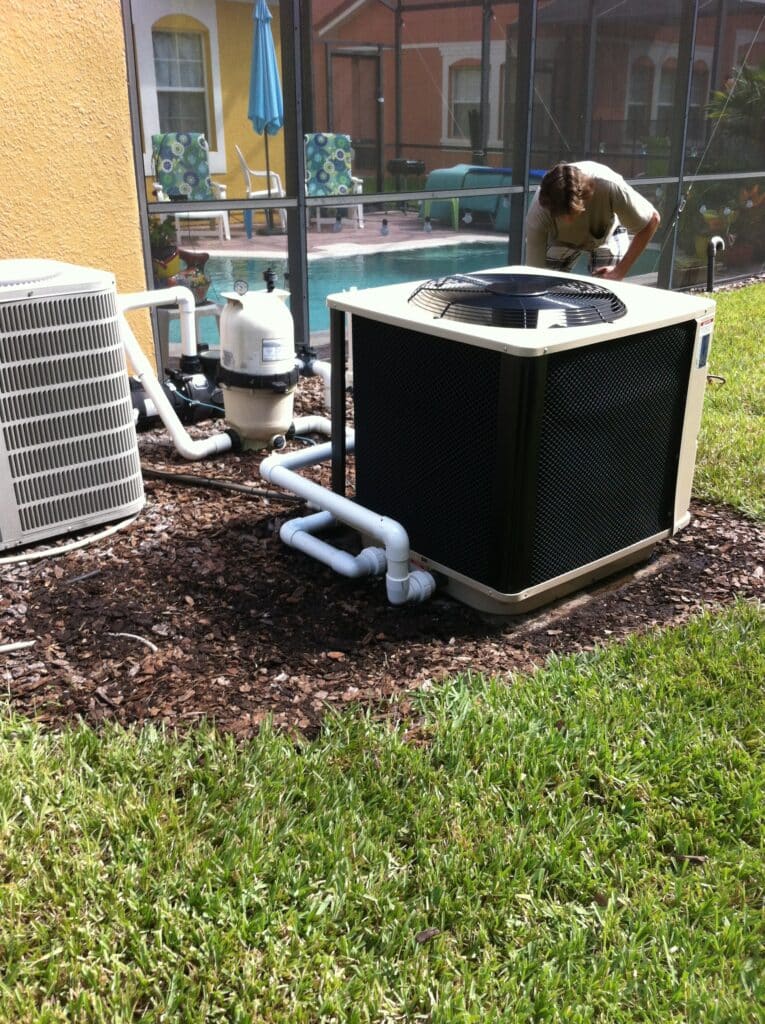
If your heater is new to you, or it’s the first start of the season, run through these in order:
- Start the pool pump first. A heat pump needs steady water flow before it will run, so get water moving through the system
- Turn on the breaker for the heater
- Power on the unit at the control panel and set it to heat mode
- Set the temperature a few degrees above your current water temp
- Give it a minute. The fan starts, then the compressor kicks in. From there it heats gradually, often over several hours
If nothing happens, the usual causes are a tripped breaker, low water flow, or a setpoint below the current water temperature. The troubleshooting steps below cover each one.
How to troubleshoot your Gulfstream pool heater
Keep your filter clean to avoid slow heating

If your heat pump suddenly doesn’t heat like it used to, a dirty filter is the most common reason.
A clogged filter makes it harder for water to pass through. The harder the water has to work to flow, the slower it circulates, and the longer it takes to heat your pool. On the display, you might see a “Low Flow” message, which means exactly that: low water flow.
To fix it:
- Clean the filter completely, and replace any filter media that’s past its prime. If that solves it, you’re set
- If not, you may have a flow problem elsewhere (see “maintain good circulation” below)
Clear the metal vents for better efficiency
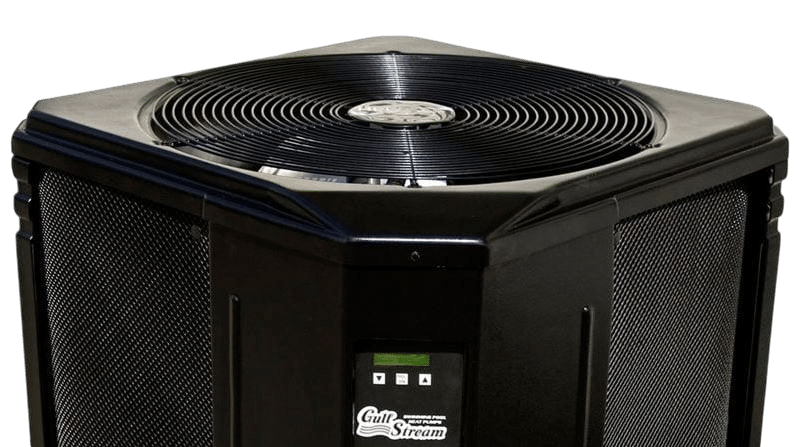
A Gulfstream pulls heat from the air around it. The fan draws warm air through the evaporator coil, which sits just behind the metal vents on the side of the unit. That’s where heating starts.
Keep those vents clear and air flows through easily, which means efficient heating. But over time, leaves, twigs, grass, and other debris work their way in. When the vents clog, the heat pump can’t pull air well, efficiency drops, and the unit works harder than it should.
So keep the side vents clear of debris and anything else that blows in.
Related: when to service your pool heat pump
Is it a leak, or just condensation?
Ever walked outside to a puddle under your heater and thought the worst? Good news: most of the time it isn’t a leak, it’s condensation.
Heat pumps deal with contrasting temperatures all day, so they produce condensation, sometimes a lot of it. A Gulfstream can shed several gallons an hour off the evaporator coil, and that’s completely normal.
That said, a real leak does happen now and then. Here’s how to tell the difference:
- Power down the heat pump and leave the filter pump running. Water keeps flowing without being heated. If the puddle disappears after a few hours, it was just condensation
- If the puddle stays, test the water for chlorine. Positive for chlorine means an internal leak, and you’ll want heater service. Negative means it’s condensation that just needs time to evaporate
Reset the breaker to fix power issues

If your Gulfstream keeps turning off and on, or won’t turn on at all, you may have a power issue. (Low water flow can also trigger a safety shutdown, so confirm the heater is getting plenty of water first.)
Here’s what to do:
- Reset the breaker, then check if the unit powers on. A quick overload can trip a breaker. If it turns on and stays on, you’re good
- Inspect the electrical connections for damage. Frayed wires or corroded connections need a pro to safely repair
- Consider the control board. Rarely, a failing board causes power problems. Before replacing it, have a technician confirm that’s the issue
Related: Pool Heater Won’t Turn On? Here’s What To Do
Maintain good circulation to avoid “Water Flow Lockout”

A clogged filter slows heating. But a bigger blockage can drop flow so low that the heater locks out entirely to protect itself from overheating.
If you see “Water Flow Lockout” on the display, or the unit shuts down for non-electrical reasons, poor circulation is the likely cause. Once you’ve cleaned the filter, check the rest of your flow points:
- Empty the pool pump basket regularly to prevent clogs
- Empty the skimmer basket for steady flow and to stop surface debris from cycling back in
- Make sure all valves are set to open for the best flow
Gulfstream error messages and what they mean
Your Gulfstream’s display tells you what’s wrong. Here’s every common message, what it means, and what to do. Many you can handle yourself. A few mean it’s time to call a pro.
Display message | What it means | What to do |
|---|---|---|
LOW FLOW | Not enough water moving through the heater | Confirm the pool pump is on, clean the filter and baskets, open all valves |
WATER FLOW LOCKOUT | Flow dropped far enough that the unit locked out to protect itself | Restore flow (filter, baskets, valves), then reset the breaker. If it keeps recurring, call a pro |
HIGH WATER TEMPERATURE | Water hit the maximum safe temp, or the water sensor is misreading | Lower the setpoint. If it shows up at normal temperatures, the sensor or board needs a pro |
WATER SENSOR MALFUNCTION | The water temperature sensor has a fault | Reset the unit (below). If it returns, the sensor likely needs replacement |
EVAP SENSOR MALFUNCTION | The evaporator coil sensor has a fault | Reset once. A recurring fault needs a technician |
DEFROSTING | Normal in cooler weather. The unit pauses heating to clear frost from the coil | Nothing. It resumes on its own once the air warms |
LOW REFRIGERANT PRESSURE | A sealed-system or refrigerant issue | Call a pro. Refrigerant work is not a DIY fix |
HIGH REFRIGERANT PRESSURE | Often poor airflow or water flow | Clean the filter and vents. If it persists, call a pro |
How to reset the temperature sensor
A sensor message (“WATER SENSOR MALFUNCTION” or “EVAP SENSOR MALFUNCTION”) will sometimes clear with a simple power cycle:
- Power the heater down at the breaker
- Wait a minute, then power it back up
- Watch the display. If the message is gone, you’re set
If the same sensor fault comes right back, the sensor itself is likely failing and needs replacement, which is a job for a technician.
When to call a pro
Plenty of Gulfstream problems are safe to handle yourself: cleaning the filter, clearing the vents, resetting the breaker, restoring flow. Others, like refrigerant faults, electrical damage, a failing sensor, or a lockout that keeps returning, need a trained tech.
Some guides just tell you to “call the factory.” We’d rather actually help. Medallion Energy is EPA 608 certified and licensed (CPC056806), with more than 3,000 pool heater repairs behind us and a 98% satisfaction rate. Every job starts with a free phone diagnosis, so you get answers before you book a visit.
Call (407) 786-0000 for a free phone diagnosis, or schedule a pool heater repair.
Need a part instead? See our Gulfstream pool heater parts.
Frequently asked questions
How do I turn on my Gulfstream pool heater?
Start the pool pump first so water is flowing, turn on the heater’s breaker, power on the unit and set it to heat, then set the temperature a few degrees above your current water temp. The fan starts, the compressor follows, and it heats gradually over several hours.
What does “Water Flow Lockout” mean on my Gulfstream?
Water flow dropped low enough that the heater shut itself down to avoid overheating. Clean the filter and baskets, open all valves to restore flow, then reset the breaker. If it keeps happening, have it checked.
Why does my Gulfstream say “Low Flow”?
The heater isn’t getting enough water. The most common cause is a dirty filter, followed by clogged pump or skimmer baskets and closed or bypassed valves. Clean and open everything up, and confirm the pool pump is running.
What is the max water temperature error on a Gulfstream?
The “HIGH WATER TEMPERATURE” message means the water reached its maximum safe temperature, or the water sensor is misreading. Lower the setpoint first. If it appears at normal temperatures, the sensor or control board needs a professional.
How do I reset the temperature sensor on my Gulfstream?
Power the heater down at the breaker, wait a minute, and power it back up. That clears many sensor faults. If “WATER SENSOR MALFUNCTION” returns right away, the sensor likely needs replacing.
Is water under my Gulfstream heater a leak?
Usually not. Heat pumps produce condensation, sometimes several gallons an hour, and that’s normal. To check, power down the heater but keep the filter pump running. If the puddle dries up, it was condensation. If it stays, test for chlorine to confirm a leak.
Should I troubleshoot my Gulfstream myself or call a pro?
The basics are safe to DIY: cleaning the filter, clearing vents, resetting the breaker, restoring flow. Refrigerant work, electrical repairs, sensor replacement, and recurring lockouts should go to a professional. A free phone diagnosis can tell you which it is.
How much does Gulfstream pool heater repair cost?
Most pool heater repairs run $200 to $800 depending on the part. Service calls in Florida typically run $100 to $250, but Medallion starts with a free phone diagnosis, and you always get a written estimate before any work begins.
I’ve been looking for a good pool heater repair service, and I think that being able to get some information would be great for me. Im’ glad you talked about being able to reset your breaker, and I think that being able to do that would be smart. I’m going to have to look into a few different options, and see what we can find!
Glad you found the article to be helpful, Jordan. Feel free to send us a message (or call) with any specific questions you might have